The AI coding assistantthat learns how you work
Codistry adapts to you with every session, and your code stays on your machine.Codistry adapts to your codebase and your habits with every session. It runs locally in VS Code, works offline with local models, and uses cloud models only when you choose.
Free during open beta · No credit card required
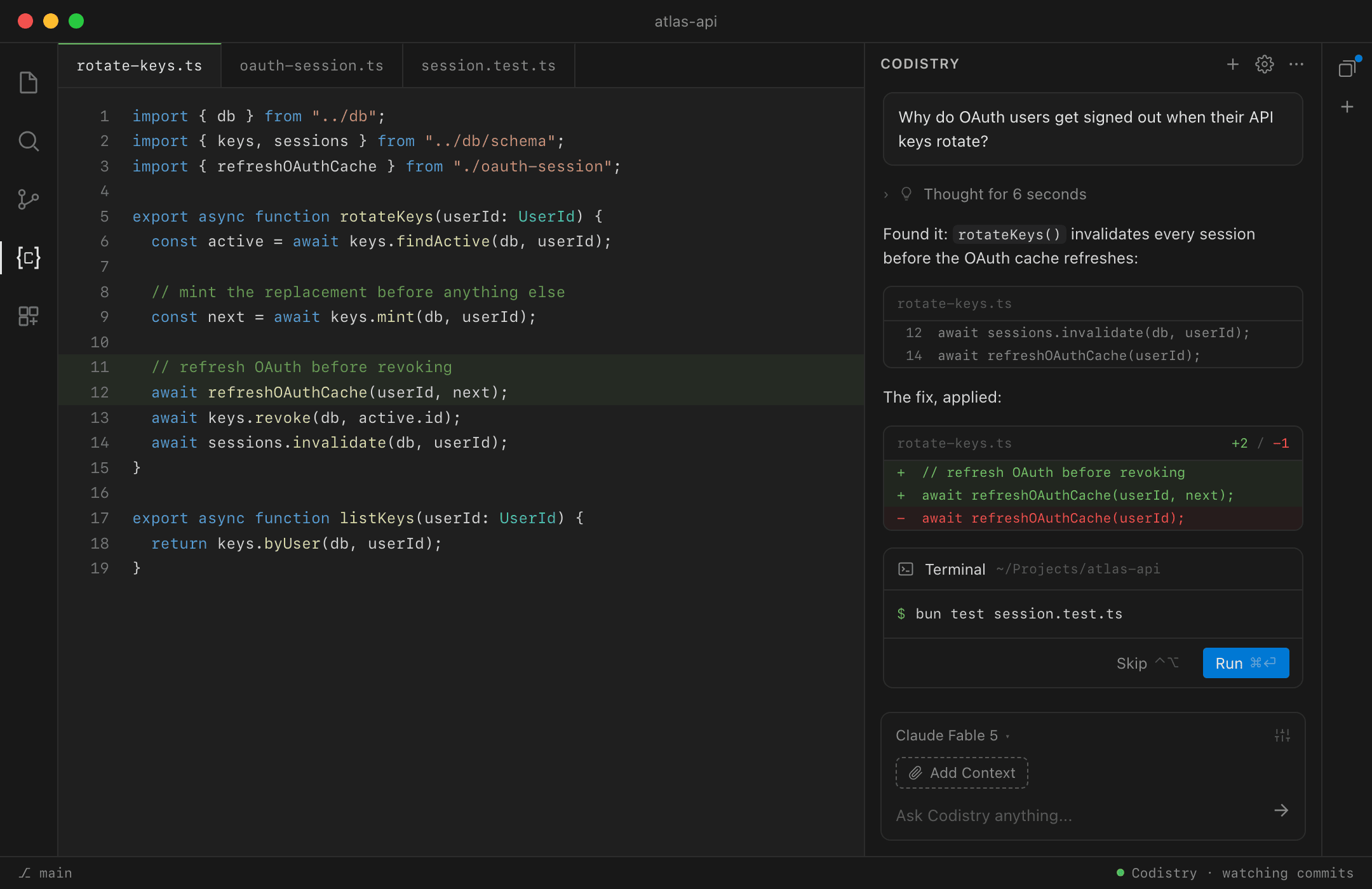
Codistry in VS Code, citing the code it read
Stop re-explaining your codebase
Codistry builds context from your repo and learns from every session. Ask for a change and it comes back written the way you would have written it.
the ask: "Add an endpoint to revoke API keys."
- key-service.tswhere key logic lives
- result.tsResult<T>, ok(), err()
- routes.test.tshow you test
- “failable services return Result<T>”
- “every change ships with a test”
- your service layer
- your Result<T> error helper
- your test conventions
the same ask without that context: logic inline in the route · errors swallowed as any · no test
It knows whose code this is
From your commit history alone, Codistry maps who owns each part of the codebase: your areas, the ones you share, and the ones that belong to teammates.
So it defers to you where you lead, writes in your conventions there, and explains more where you're new.
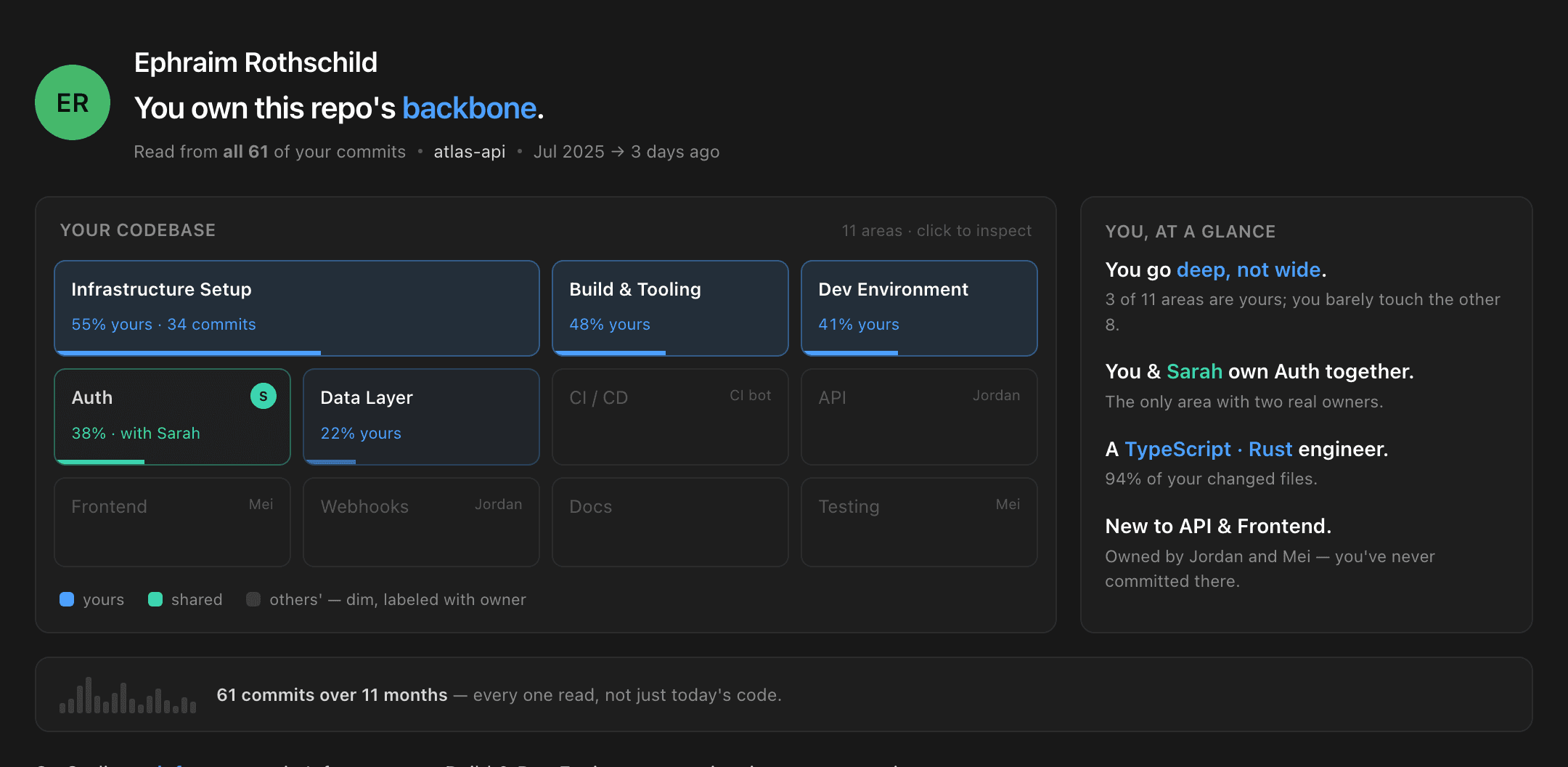
the Expertise view, built from your commits · how expertise works
Private by architecture
Everything Codistry learns about your code lives in your editor and your repo. Cloud models see only what you choose to send.
the whole system, end to end · what the extension sends
Under the hood
The learning runs on a complete agent: parallel sessions, sandboxed execution, and open integration points.
Context engine
Maps your repo into a knowledge graph: symbols, relationships, and how the code changes together over time. Kept current as you commit. Watch one build:
Parallel sessions
Run several tasks side by side. Switching between them never cancels a run.
Sandboxed skills
Specialized skills run inside isolated Docker containers, away from the rest of your system.
MCP integrations
Hook up databases, APIs, and internal tools over the MCP protocol. Pre-built servers or your own.
Bring your own models
Claude and GPT when you want them. Ollama or LM Studio when nothing should leave the building.
Three steps to your first session
No procurement, no pilot program.
Install the extension
Grab it from the VS Code marketplace, or email yourself an install link to open at your desk.
Install page →Connect a model
Paste an API key, or point it at a local model through Ollama or LM Studio.
Supported models →Hand it a real task
Open a repo and ask for an actual change, not a toy demo.
Quick start guide →
No idea what to hand it?
By the time the index is built, Codistry has ideas of its own: work drawn from your recent commits and the areas you own. You won't start from a blank prompt.
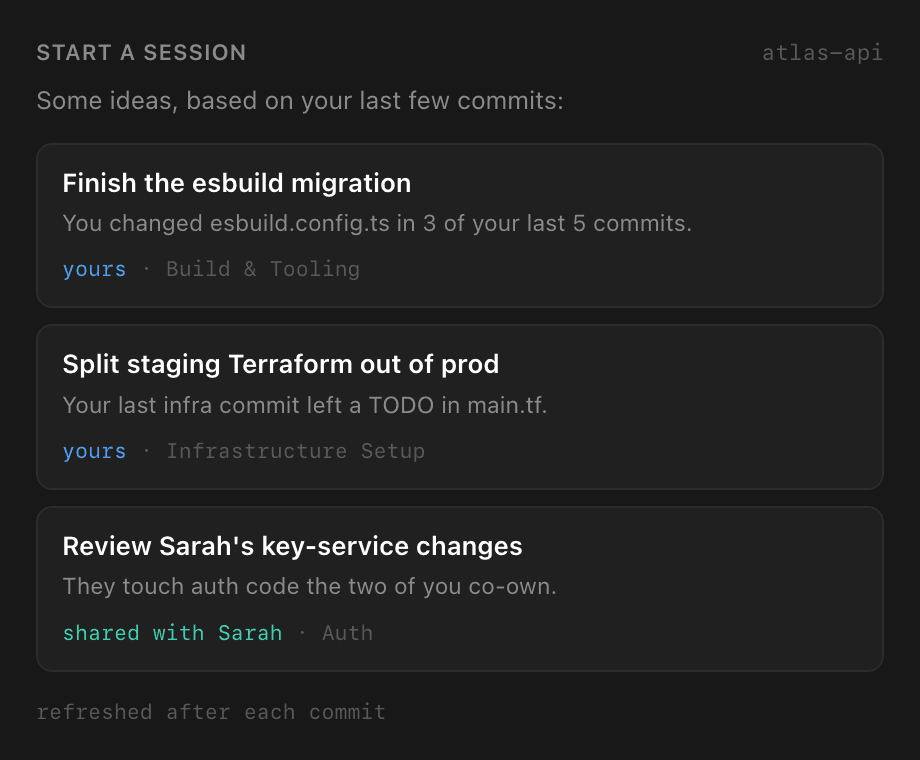
drawn from your recent commits, refreshed as you work
Try it on your own codebase
Install the extension, open a project, and give Codistry something real to do. The first session is the demo.
Free during open beta · No credit card required
Prefer receipts to promises? What the extension sends·Privacy policy·FAQ